# Managing Events with Notification Center
> Meshery tracks operations performed on your infrastructure and workloads, and provides notification of environment issues, application conflicts with infrastructure configuration, policy violations, and so on.
---
LLMS index: [llms.txt](/llms.txt)
---
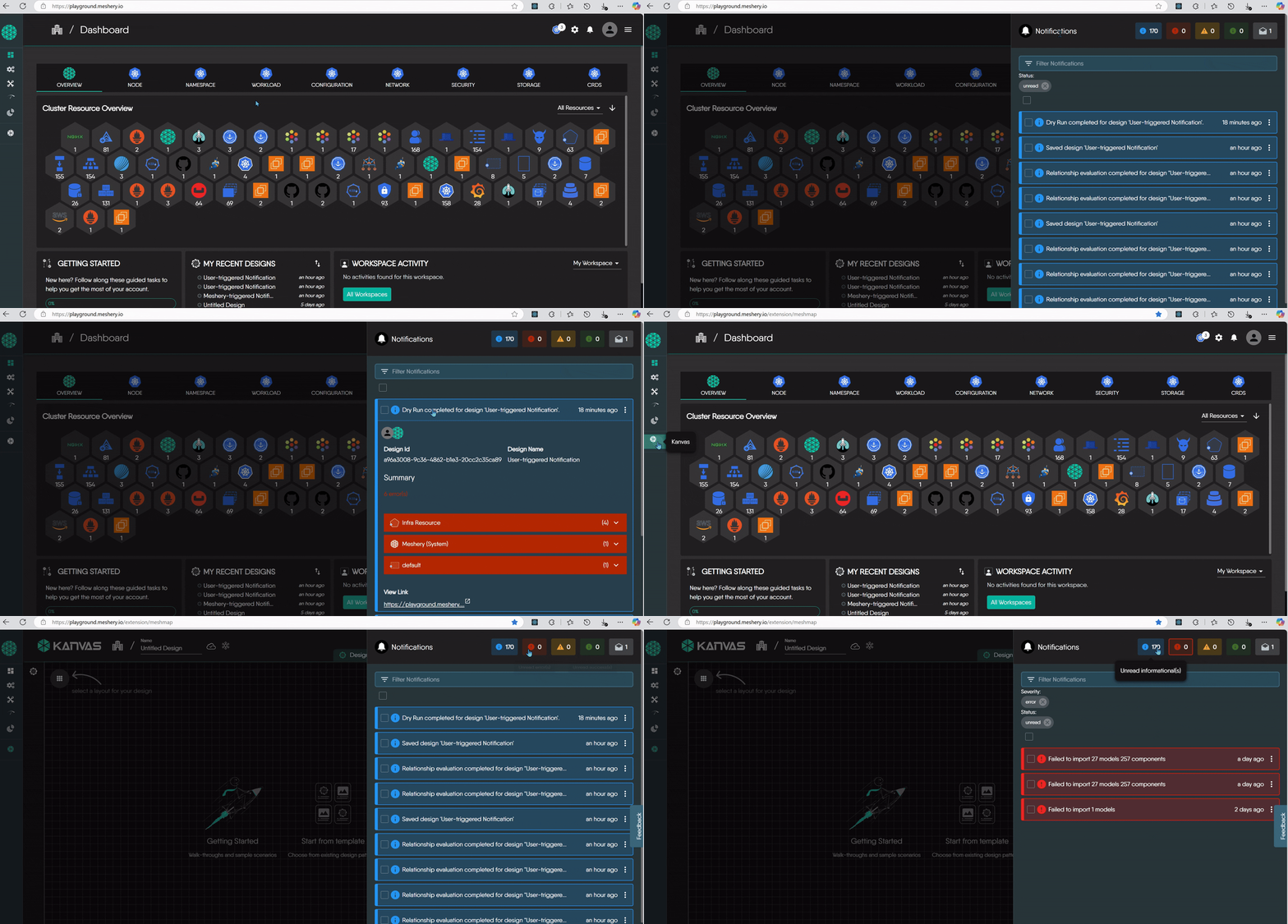
Meshery records an event for each activity that affects your designs and infrastructure, whether you started it or Meshery did on its own, such as a deployment, a validation, a relationship evaluation, or a MeshSync error. The Notification Center is where you review those events and act on them.
## Open the Notification Center
Click the bell icon in the header of Meshery UI. When you have unread errors, a red badge on the icon counts them. With no unread errors, a yellow badge counts unread warnings.
## Read a notification
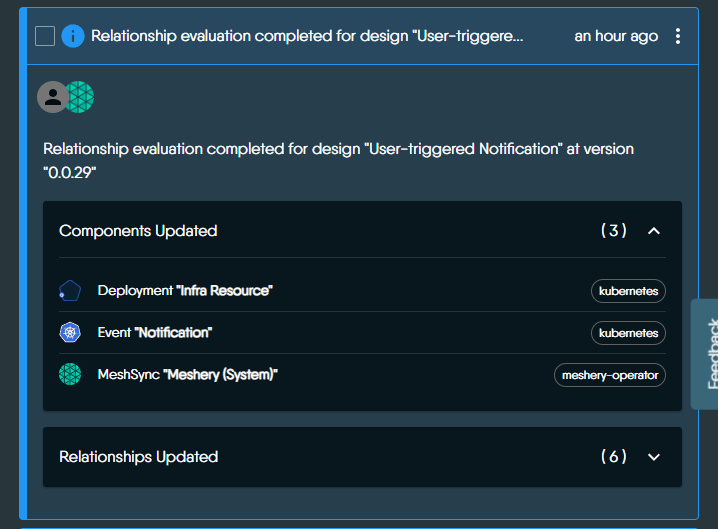
Each notification summarizes what happened. Depending on the event, it includes:
- The action performed, such as saving a design or running a dry run.
- The affected components, such as Deployments or MeshSync.
- Validation results or errors, such as invalid values or missing fields.
- Relationship updates, showing how components are linked.
- Links to the related design or to more detail.
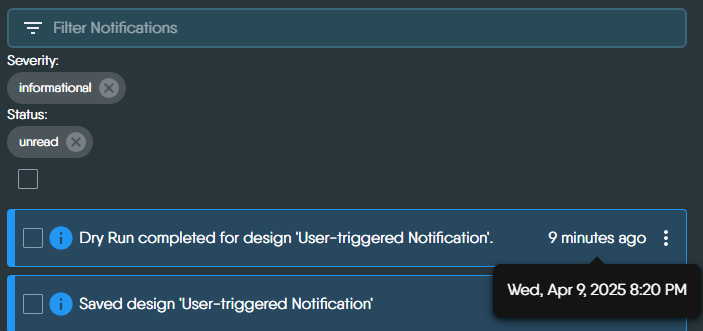
Expand a notification to see its full description. Meshery highlights critical, actionable events in red. Timestamps use your device's time zone.
## Find the notifications you need
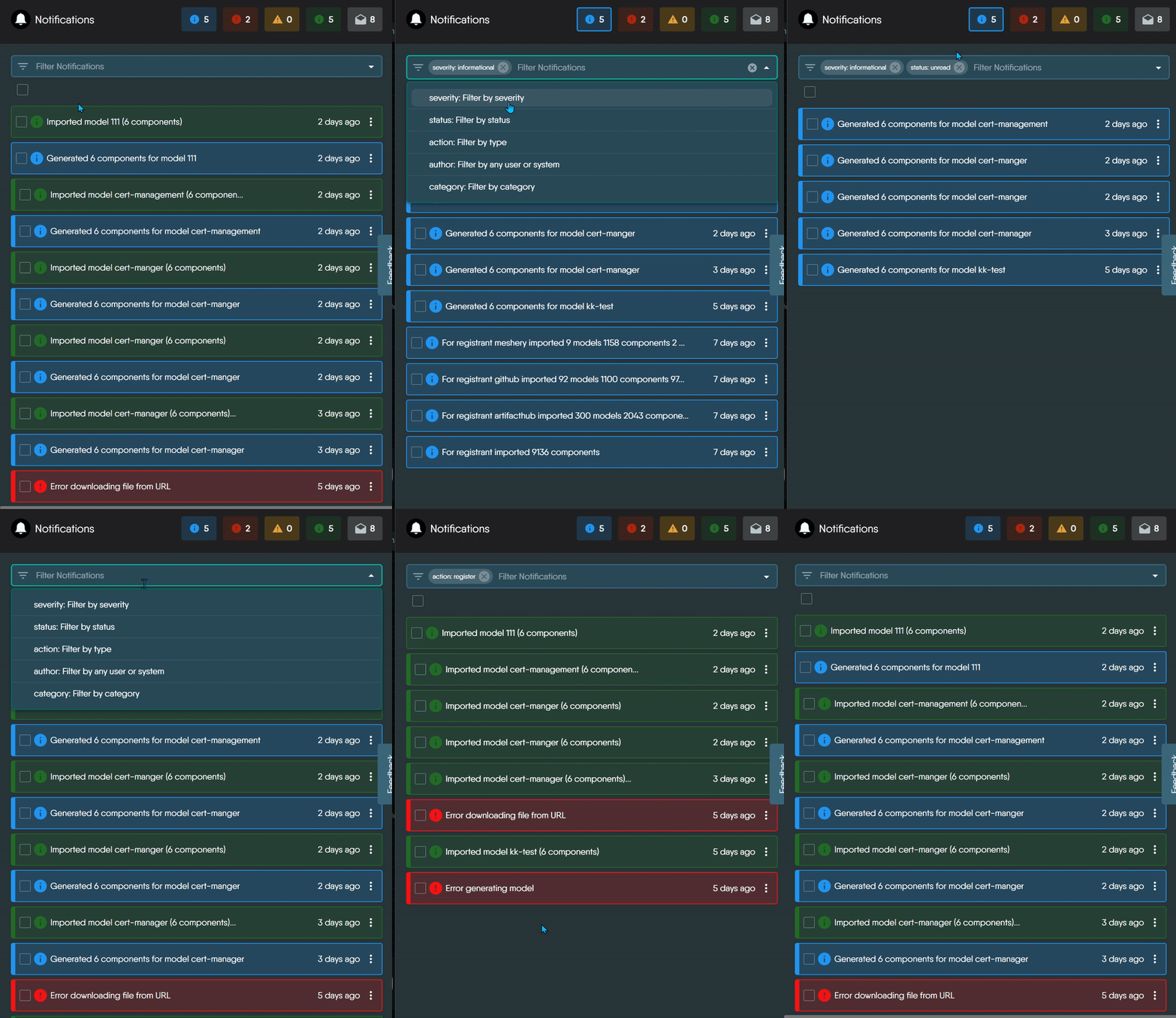
Type in **Filter Notifications** to search, or filter by **severity**, **status**, **action**, **category**, and **author**. Meshery builds the action, category, and author options from the events your server has received.
| Severity | Filter value | Use it for |
|---|---|---|
| Info | `informational` | General updates. |
| Success | `success` | Actions that completed. |
| Warning | `warning` | Potential issues. |
| Error | `error` | Failures that need your attention. |
| Status | Filter value | Meaning |
|---|---|---|
| Unread | `unread` | Notifications that are not marked as read. |
| Read | `read` | Notifications marked as read. Opening a notification does not mark it as read. |
## Act on notifications
- **Mark as read or unread:** select notifications and click **Mark selected notifications as read** or **Mark selected notifications as unread**.
- **Delete:** select notifications and click **Delete selected notifications**, or delete a single one from its own menu.
- **Share:** open a notification's share menu to send it to teammates or post it.
## Who triggered a notification
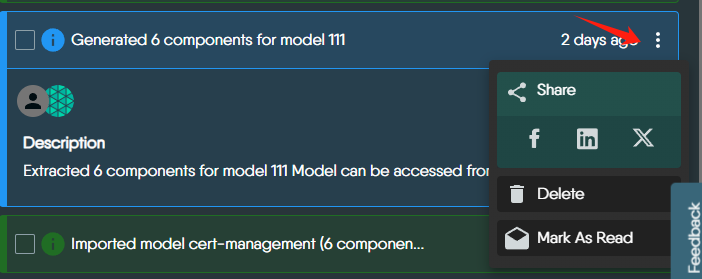
The avatar on a notification shows who triggered it.
| Icon Type | Meaning |
|----------------------------------|-------------------------------------------------------------------------|
| Meshery logo only | System-triggered event - initiated automatically by Meshery (e.g., syncing errors, import failures). |
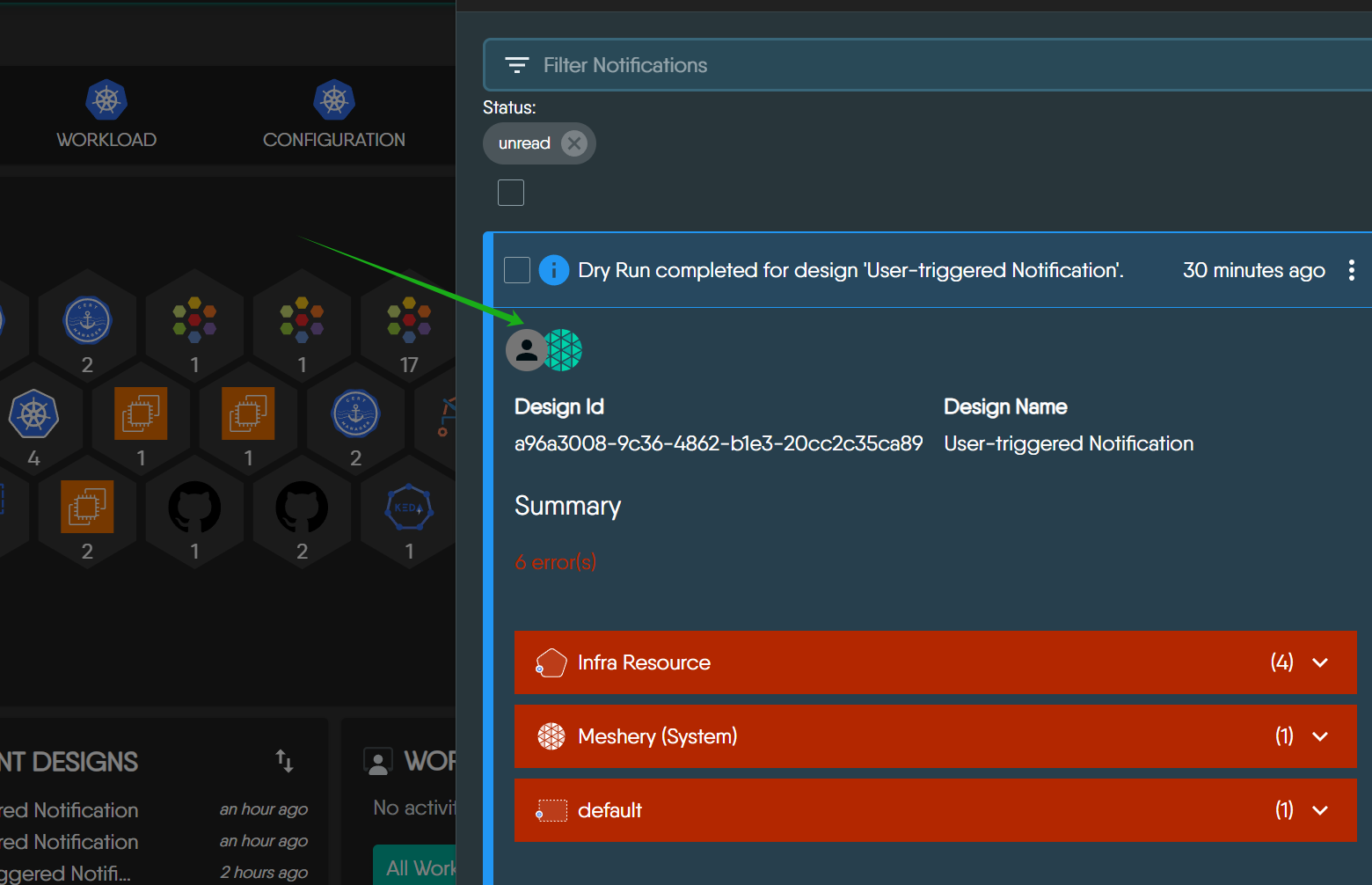
| User avatar + Meshery logo | User-triggered event - the user performed an action, and Meshery processed it (e.g., registering a Kubernetes context). |
| User avatar only (rare) | User-triggered event with no system action involved. |
Meshery shows the user's avatar when the event carries a user ID and Meshery can look that user up, and the Meshery logo when the event carries a system ID.
Visual Representation of System/User-triggered Notifications
1. 🟢 Meshery-only (System-triggered) Notification
(open in playground)
2. 👤+🌐 User + Meshery (User-triggered) Notification
(open in playground)
## How long Meshery keeps notifications
Your provider decides how long notifications are retained. To clear notifications sooner, delete them.
For how the Notification Center is built, see the [contributor guide](/project/contributing/ui/notification-center/).
 ## Find the notifications you need
Type in **Filter Notifications** to search, or filter by **severity**, **status**, **action**, **category**, and **author**. Meshery builds the action, category, and author options from the events your server has received.
## Find the notifications you need
Type in **Filter Notifications** to search, or filter by **severity**, **status**, **action**, **category**, and **author**. Meshery builds the action, category, and author options from the events your server has received.
 | Severity | Filter value | Use it for |
|---|---|---|
| Info | `informational` | General updates. |
| Success | `success` | Actions that completed. |
| Warning | `warning` | Potential issues. |
| Error | `error` | Failures that need your attention. |
| Status | Filter value | Meaning |
|---|---|---|
| Unread | `unread` | Notifications that are not marked as read. |
| Read | `read` | Notifications marked as read. Opening a notification does not mark it as read. |
## Act on notifications
- **Mark as read or unread:** select notifications and click **Mark selected notifications as read** or **Mark selected notifications as unread**.
- **Delete:** select notifications and click **Delete selected notifications**, or delete a single one from its own menu.
- **Share:** open a notification's share menu to send it to teammates or post it.
| Severity | Filter value | Use it for |
|---|---|---|
| Info | `informational` | General updates. |
| Success | `success` | Actions that completed. |
| Warning | `warning` | Potential issues. |
| Error | `error` | Failures that need your attention. |
| Status | Filter value | Meaning |
|---|---|---|
| Unread | `unread` | Notifications that are not marked as read. |
| Read | `read` | Notifications marked as read. Opening a notification does not mark it as read. |
## Act on notifications
- **Mark as read or unread:** select notifications and click **Mark selected notifications as read** or **Mark selected notifications as unread**.
- **Delete:** select notifications and click **Delete selected notifications**, or delete a single one from its own menu.
- **Share:** open a notification's share menu to send it to teammates or post it.
 ## Who triggered a notification
The avatar on a notification shows who triggered it.
## Who triggered a notification
The avatar on a notification shows who triggered it.
 | Icon Type | Meaning |
|----------------------------------|-------------------------------------------------------------------------|
| Meshery logo only | System-triggered event - initiated automatically by Meshery (e.g., syncing errors, import failures). |
| User avatar + Meshery logo | User-triggered event - the user performed an action, and Meshery processed it (e.g., registering a Kubernetes context). |
| User avatar only (rare) | User-triggered event with no system action involved. |
Meshery shows the user's avatar when the event carries a user ID and Meshery can look that user up, and the Meshery logo when the event carries a system ID.
| Icon Type | Meaning |
|----------------------------------|-------------------------------------------------------------------------|
| Meshery logo only | System-triggered event - initiated automatically by Meshery (e.g., syncing errors, import failures). |
| User avatar + Meshery logo | User-triggered event - the user performed an action, and Meshery processed it (e.g., registering a Kubernetes context). |
| User avatar only (rare) | User-triggered event with no system action involved. |
Meshery shows the user's avatar when the event carries a user ID and Meshery can look that user up, and the Meshery logo when the event carries a system ID.