# Authenticating Meshery via CLI
> Log in to Meshery Server from mesheryctl and get an authentication token.
---
LLMS index: [llms.txt](/llms.txt)
---
`mesheryctl` needs a token to call Meshery Server on your behalf. Run `mesheryctl system login` to get one. Meshery Server must be running first, so start it with `mesheryctl system start` if it is not.
## Log in from a machine with a browser
1. Run the login command:
```bash
mesheryctl system login
```
`mesheryctl` asks Meshery Server which [providers](/reference/extensibility/providers/) it offers and prompts you to pick one:
```text
Use the arrow keys to navigate: ↓ ↑ → ←
? Select a Provider:
▸ Meshery
Local
```
The list comes from your server, so it shows any additional remote providers your server is configured with. To skip the prompt, name the provider with `-p`, for example `mesheryctl system login -p Meshery`. Run `mesheryctl system provider list` to see the names.
2. Choose a provider:
- **Meshery** (or another remote provider) opens your browser at the provider's sign-in page. After you sign in, the page says "you have logged in, you can close this window now". Close it and return to your terminal. A remote provider keeps your designs, environments, and performance results between sessions.
- **Local** signs you in without a browser. Your work stays on this Meshery Server only.
3. Confirm that `mesheryctl` printed `authenticated` and that it saved the token to `~/.meshery/auth.json`:
```bash
ls -l ~/.meshery/
```
```text
-rw-rw-r-- 1 ubuntu ubuntu 39 Dec 21 06:13 auth.json
-rw-rw-r-- 1 ubuntu ubuntu 260 Dec 21 06:04 config.yaml
-rw-rw-r-- 1 ubuntu ubuntu 988 Dec 21 06:04 meshery.yaml
```
`mesheryctl` writes the token to the file that the current context's token entry points to in `~/.meshery/config.yaml`. That file is `~/.meshery/auth.json` unless you changed it with `mesheryctl system token`.
## Log in from a machine without a browser
If `mesheryctl` runs on a machine with no browser, such as a remote server or a CI runner, download a token from Meshery Cloud and copy it onto that machine.
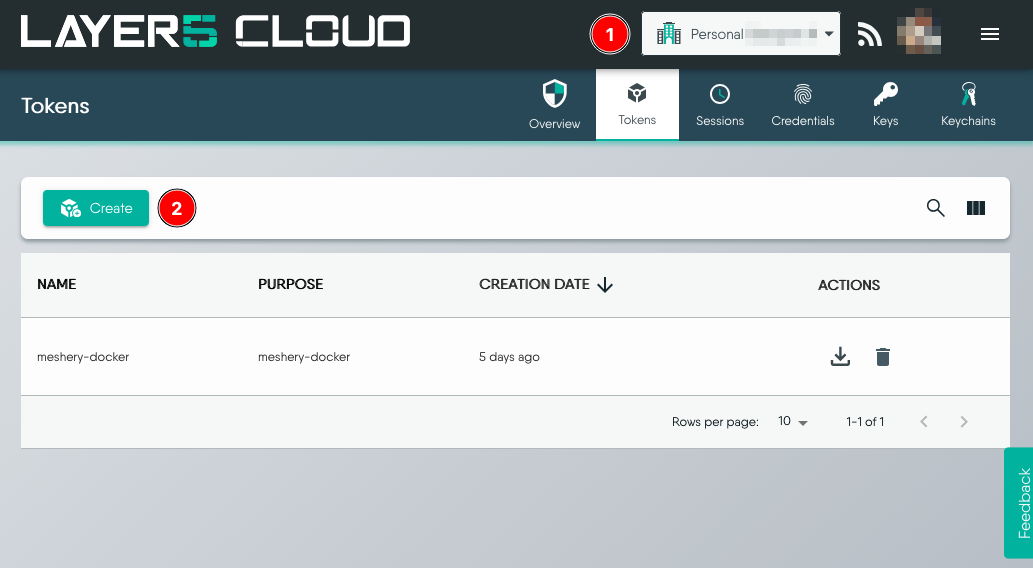
1. Go to [https://cloud.meshery.io/security/tokens](https://cloud.meshery.io/security/tokens) and sign in. Check that you are in the right organization, then click **Create**.
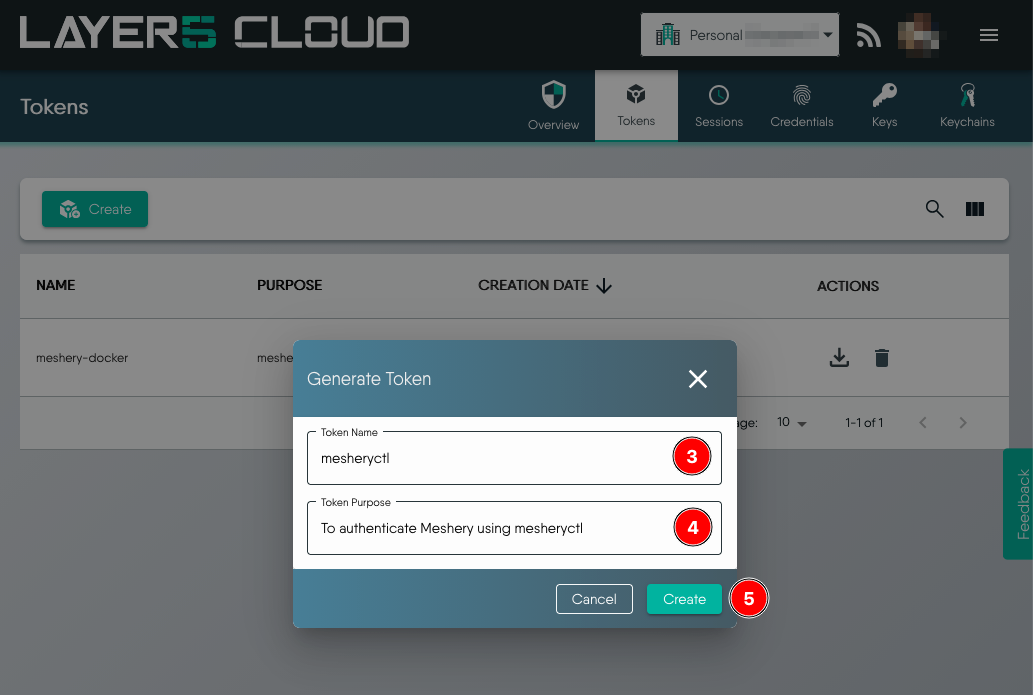
 2. Enter a token name and purpose, then click **Create**.
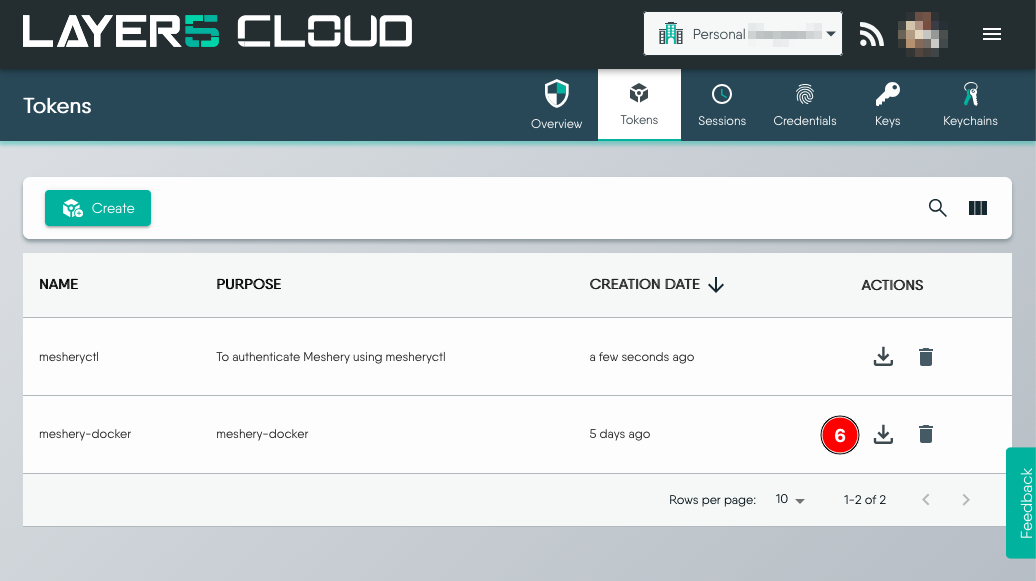
 3. Click the **Download** icon to download the token as `auth.json`.
 4. Copy `auth.json` to `~/.meshery/auth.json` on the machine that runs `mesheryctl`. To keep the file somewhere else, register its path as a token and attach it to your context:
```bash
mesheryctl system token create my-token -f /path/to/auth.json --set
```
5. Run `mesheryctl system check` and confirm that it reports no authentication error.
## Log out
`mesheryctl system logout` empties the token file for the current context. Run `mesheryctl system login` again to get a new token.
For every `mesheryctl` command and flag, see the [`mesheryctl` command reference](/reference/mesheryctl/).