Embedding a Meshery Design in a WordPress Post
In this tutorial, you embed an interactive Meshery Design in a WordPress post. The embed export comes from Kanvas, so you need access to Kanvas, and a design to embed. If you don’t have a design, use one of the public designs in Kanvas.
In Kanvas, expand the Designs panel on the left.
Click the Quick actions button (the vertical ellipsis) next to the design, and select Export Design.
In the list of formats, click the download icon next to Embed Design.
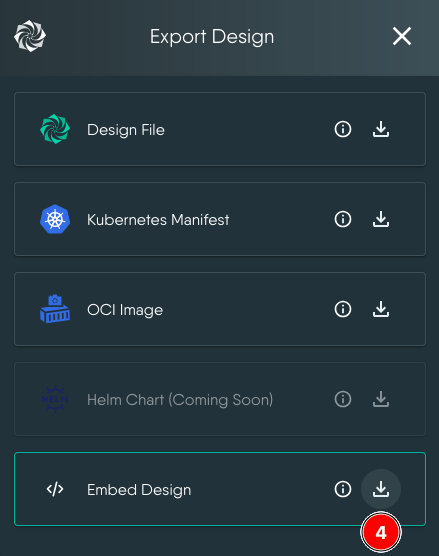
Kanvas downloads a
.jsfile and shows the HTML snippet to copy. Copy the snippet.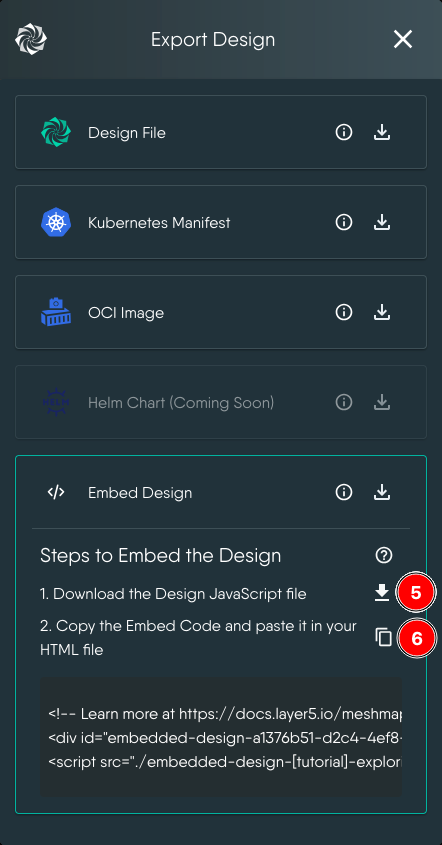
In WordPress, upload the
.jsfile to the Media Library.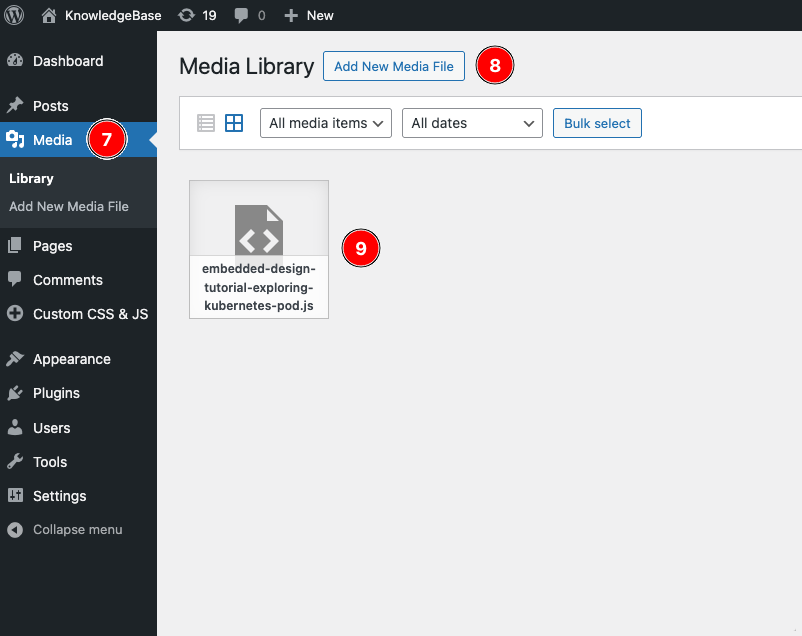
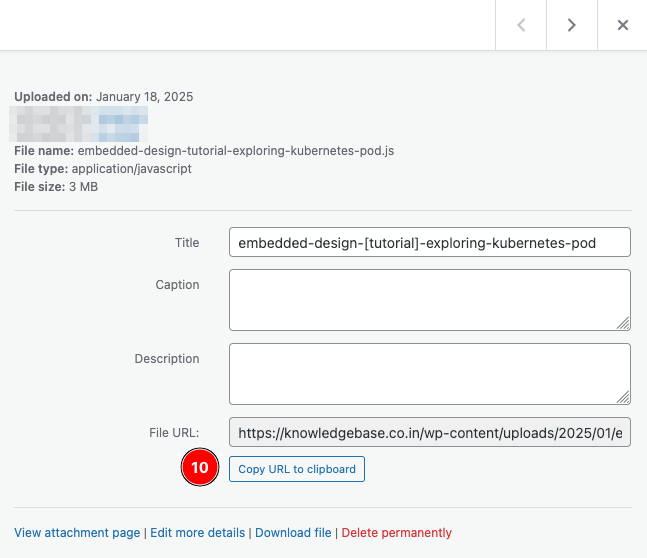
Click the uploaded file and copy its File URL. You need it in step 8.
Open the post where you want the design in the editor, and add a Custom HTML block.
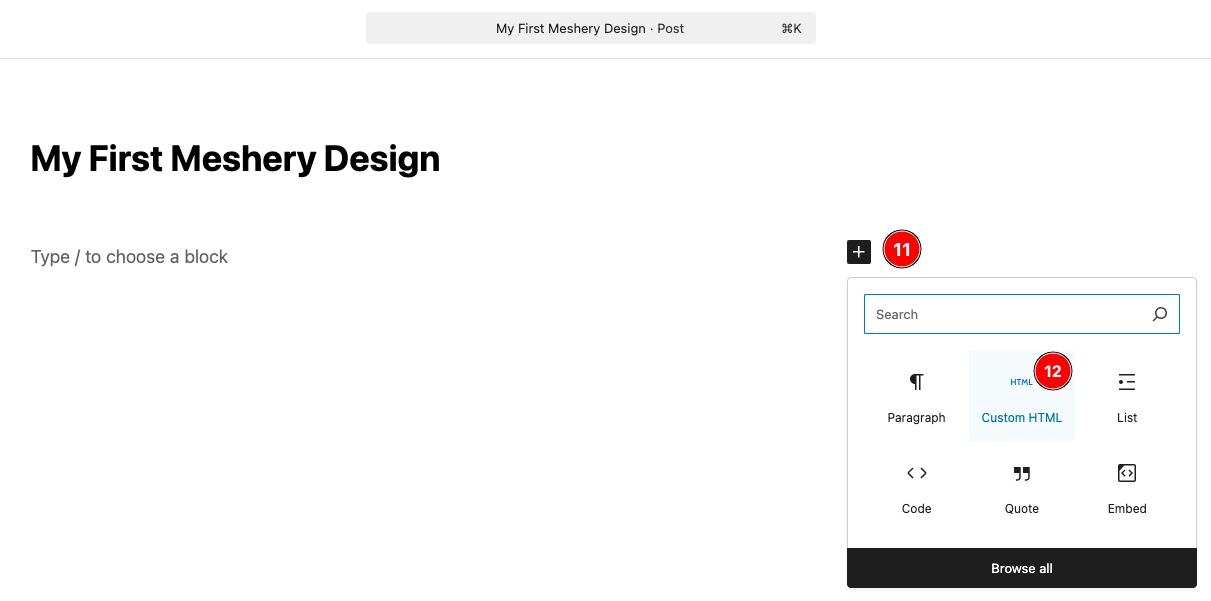
Paste the following CSS into the block, followed by the HTML snippet you copied from Kanvas. Then change the
srcof the<script>tag to the File URL you copied from WordPress.<style> .embed-design-container { width: 100%; border-radius: 1rem; margin: 1rem; overflow: hidden; margin-inline: auto; height: 35rem; } .embed-canvas-container { background-color: gray; } </style>The finished Custom HTML block looks like this:
<style> .embed-design-container { width: 100%; border-radius: 1rem; margin: 1rem; overflow: hidden; margin-inline: auto; height: 35rem; } .embed-canvas-container { background-color: gray; } </style> <!-- Learn more at https://docs.meshery.io/guides/tutorials/wordpress/embedding-meshery-design-in-wordpress --> <div id="embedded-design-a1376b51-d2c4-4ef8-8337-6dc2c24fa939"></div> <script src="https://yourwordpressdomain/wp-content/uploads/2025/01/embedded-design-tutorial-exploring-kubernetes-pod.js" type="module" ></script>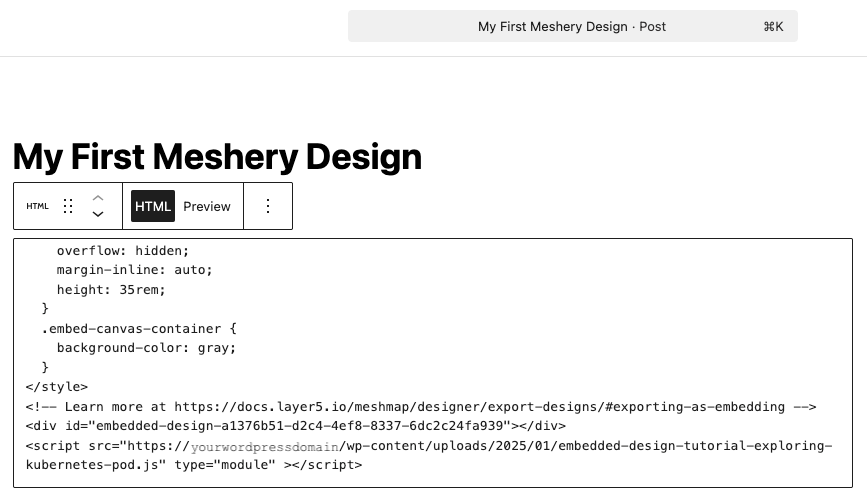
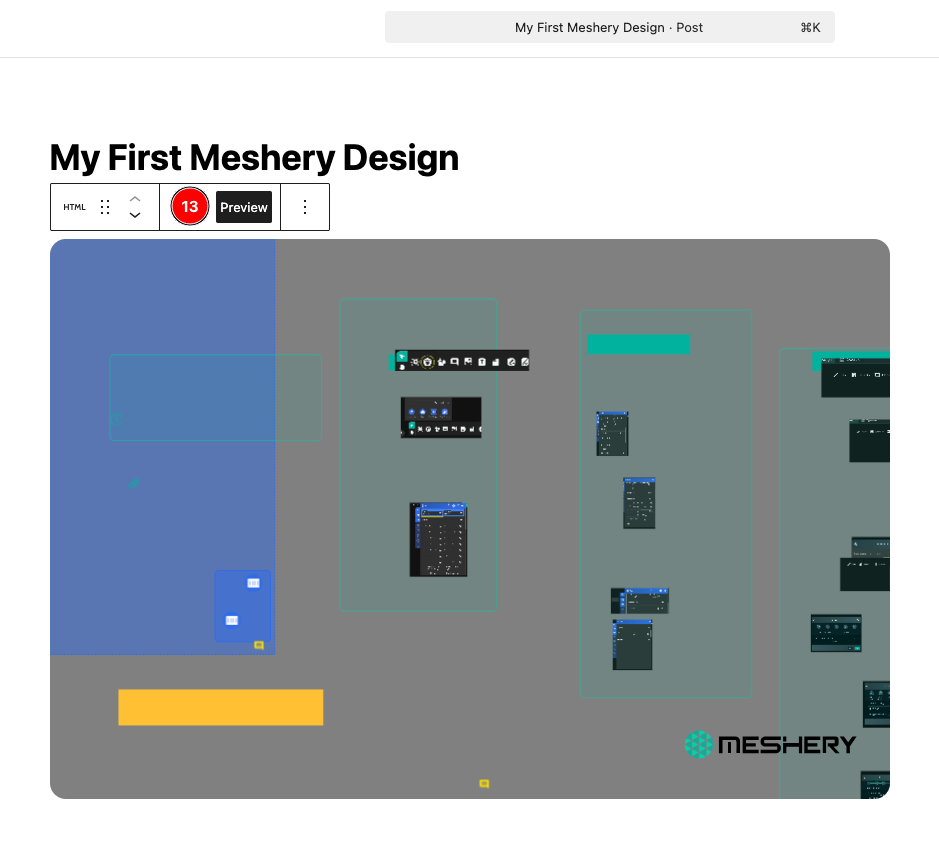
Click Preview and confirm that the design renders.
Publish the post.