Quick Start with Docker Extension 
The Docker Extension for Meshery runs Meshery inside Docker Desktop, so you can use Meshery’s collaborative cloud native management features right next to Docker Desktop’s built-in Kubernetes.
Prerequisites
- Docker Desktop 4.10 or later.
- Kubernetes enabled in Docker Desktop, using the kubeadm cluster type. If you use kind, see Install on kind instead.
Install the Docker Meshery Extension
Install the extension in one of three ways:
Using Docker Desktop
Open the Extensions marketplace in Docker Desktop, search for Meshery, and click Install.
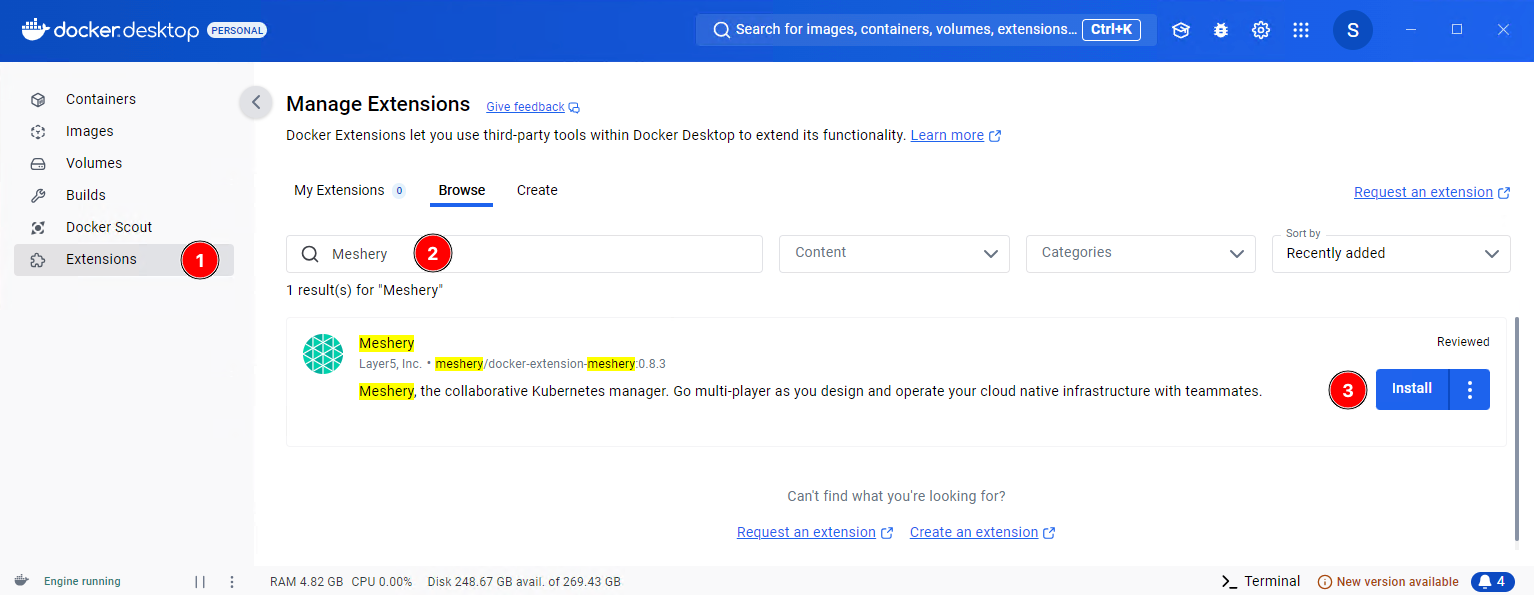
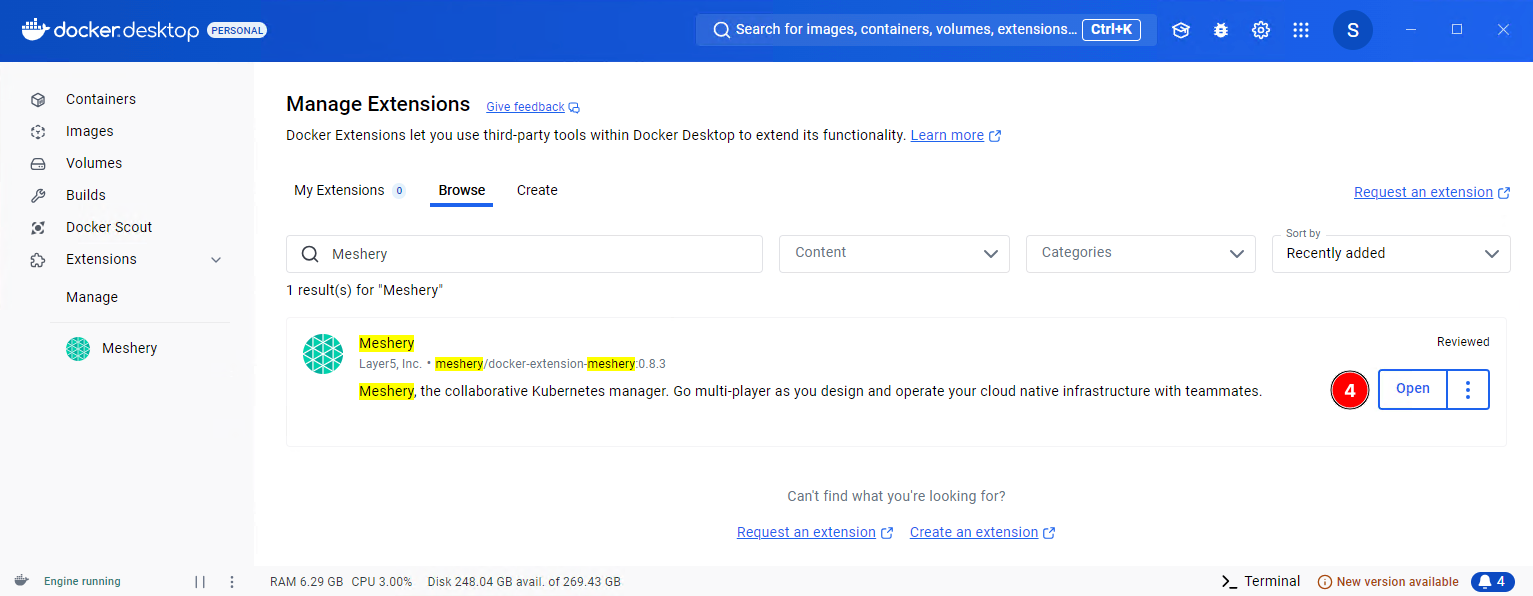
When the installation finishes, click Open, or click Meshery under Extensions in the left sidebar.
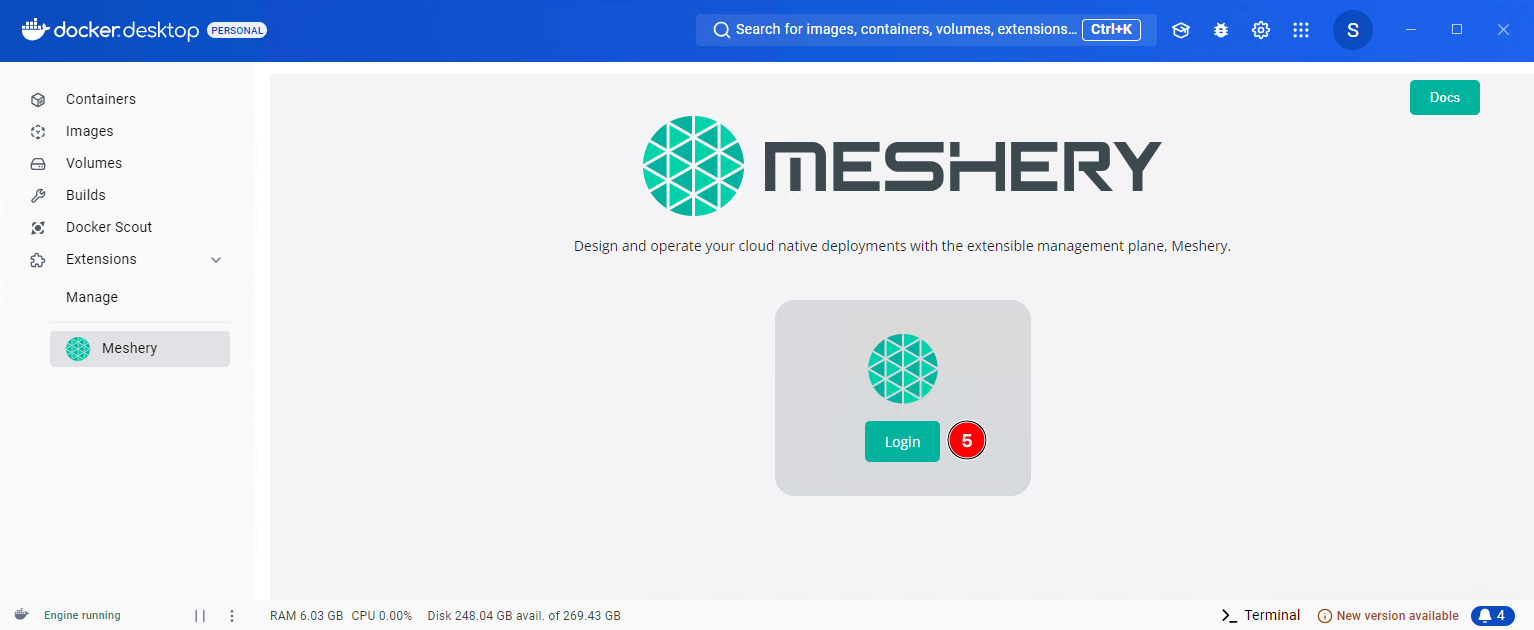
Click Login to open the Meshery Cloud login page. Log in or sign up, and Meshery Cloud returns you to Docker Desktop. The extension always uses the Meshery Cloud Provider (PROVIDER=Meshery).
Finally, click Launch Meshery to open Meshery UI in a browser window. It runs at http://localhost:9081/ by default.
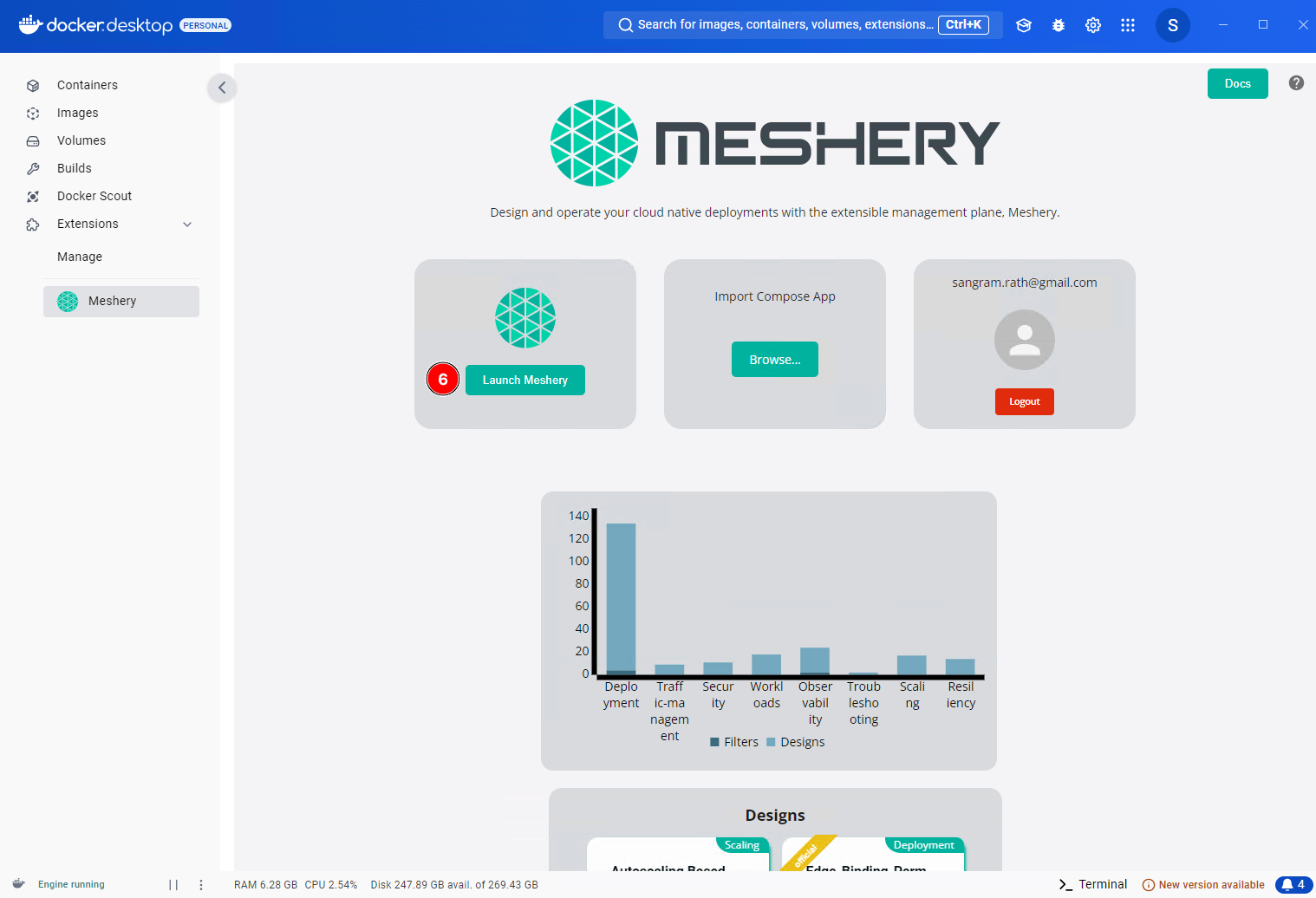
You can also open http://localhost:9081/ directly in a browser on the same machine and complete the Meshery Cloud login there.
Using Docker Hub
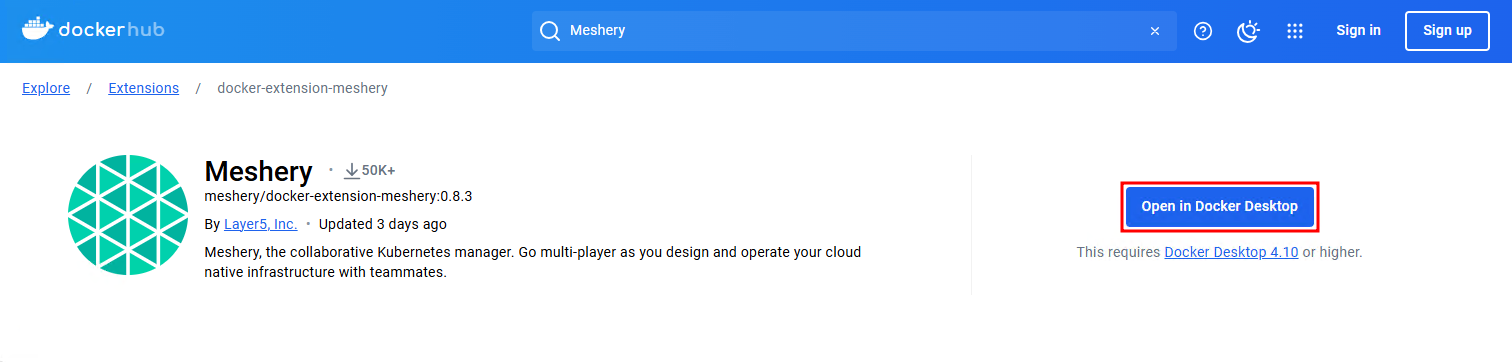
You can also install the extension from Docker Hub. Go to the Meshery Docker Extension page and click Open in Docker Desktop. After installation, the steps are the same as above.
Using Docker CLI
To install the extension from the command line, run:
docker extension install meshery/docker-extension-meshery Successfully installed Meshery mesheryctl system dashboard
The extension runs as a set of containers inside your Docker Desktop virtual machine. You can now use Meshery to manage and monitor your cloud native infrastructure.
Remove Meshery as a Docker Extension
Remove the extension from Docker Desktop or from the command line.
Removing from Docker Desktop
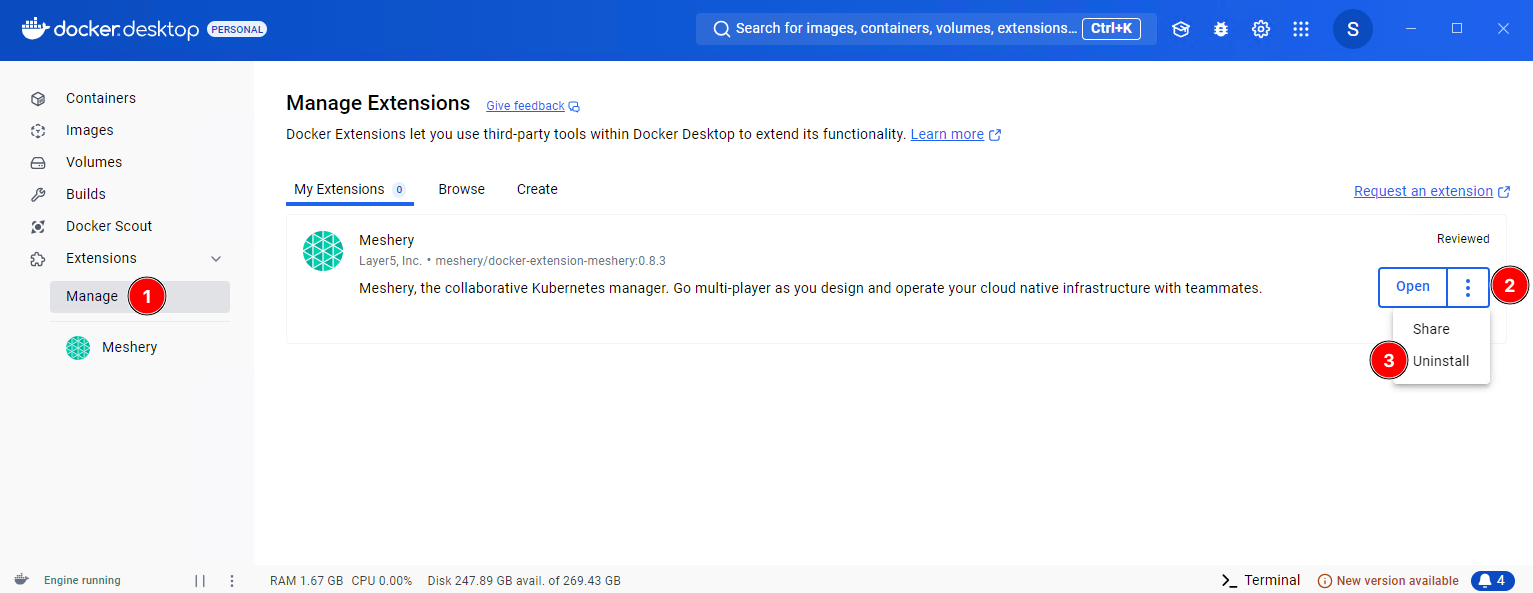
Go to Manage under Extensions, click the ellipsis button (three vertical dots), and select Uninstall.
Removing using Docker CLI
To remove the extension from the command line, run docker extension rm:
$ docker extension rm meshery/docker-extension-meshery
Additional Cleanup
Uninstalling the extension can leave images and networks behind. To remove them:
Remove Meshery Images (if necessary)
The extension pulls Docker images, and depending on how you configured Meshery, it may have pulled more. List your images with docker images, then remove each Meshery image you no longer need with docker rmi. For example:
docker rmi meshery/meshery:stable-latest
Remove Meshery Docker Networks (if necessary)
Meshery creates its own Docker networks, which can remain after you uninstall the extension. List them with docker network ls, then remove each one with docker network rm. For example:
docker network rm meshery_default