# Contributing to Meshery Docker Extension
> How to contribute to Meshery Docker Extension
---
LLMS index: [llms.txt](/llms.txt)
---
## Prerequisites
To start contributing to Meshery Docker Extension, make sure you have [Docker](https://docs.docker.com/get-docker/) installed on your system.
### Docker Extension for Meshery
The Docker Extension for Meshery extends Docker Desktop’s position as the cloud native developer’s go-to Kubernetes environment with easy access to the next layer of cloud native infrastructure. The extension provides a seamless experience for developers to manage and monitor their Kubernetes applications and services.
#### Using Docker Desktop
1) Navigate to the Extensions Marketplace of Docker Desktop.
2) From the Dashboard, select Add Extensions in the menu bar or open the Extensions Marketplace from the menu options.
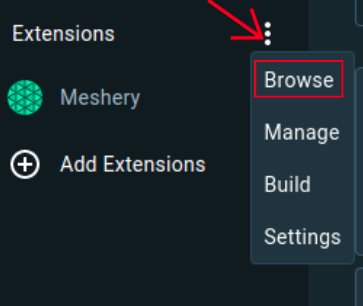 3) Navigate to Meshery in the Marketplace and press install.
 OR
You can visit the [Docker Hub](https://hub.docker.com/extensions/meshery/docker-extension-meshery) marketplace to directly install Meshery extension in your Docker Desktop.
#### Using `Docker CLI`
Meshery runs as a set of containers inside your Docker Desktop virtual machine.
docker extension install meshery/docker-extension-meshery
## Set up the server
In the root directory of meshery, run the following command:
### To install/update the UI dependencies:
make ui-setup
### Start the server locally
make server
This will ensure that the server is up and running at port 9081
## Set up docker extension Locally
Open another terminal while the server is running,
Go inside the docker-extension directory
cd install/docker-extension
### Build and export UI
make ui-build
### UI Development Server
If you want to work on the Docker UI, it will be a good idea to use the included UI development server. You can run the UI development server by running the following command:
make ui
Now the meshery docker-extension is up and running.
### Linking the docker extension locally
To see the changes reflected in the docker extension locally and open the devTools window, we can run the command:
make link
Now that our local development environment is connected with the meshery docker extension, we can start contributing to it.