2. Next, build & run the server code by runningmake ui-setup make ui-build
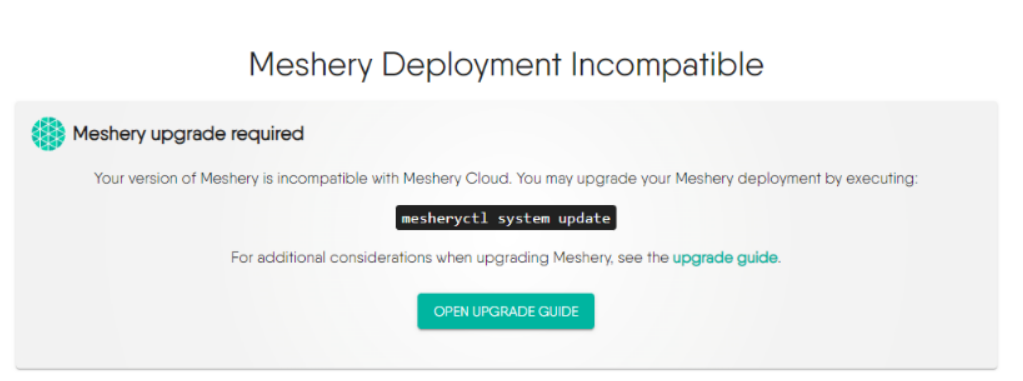
Any time changes are made to the Go code, you will have to stop the server and run the above command again. Once the Meshery server is up and running, you should be able to access Meshery on your `localhost` on port `9081` at `http://localhost:9081`. One thing to note, you might NOT see the [Meshery UI](/project/contributing/ui/ui/#contributing-ui) until the UI code is built as well. After running Meshery server, you will need to select your **Cloud Provider** by navigating to `localhost:9081`. Only then you will be able to use the Meshery UI on port `3000`. **Please note**: If you get error while starting the server as **"Meshery Development Incompatible"** then follow the below guideline 👇make server
Potential Solution:
- Go to your meshery folder in your local-system where you’ve cloned it.
Execute:
- `git remote add upstream https://github.com/meshery/meshery`
- `git fetch upstream`
- Restart the meshery server
- Additionally, before restarting the server, if you like to pull the latest changes, you can do: `git pull upstream master`
#### Building Docker image
To build a Docker image of Meshery, please ensure you have `Docker` installed to be able to build the image. Now, run the following command to build the Docker image:
#### Define and validate errors Every Golang-based component within the Meshery ecosystem incorporates a utility to define and manage error messages for every error instance. This is internally done with several make commands, but one can explicitly validate with the help of the following make command. This checks and validates the errors that are present in the particular project.make docker-build
For more details, Error Utility #### Lint the servermake error
This runs `golangci-lint` plus Meshery's repo-specific Go rules - notably the one that fails the build when a `gorm` `ORDER BY` clause is built from a value that is neither a constant nor a result of `models.SanitizeOrderInput`. The same rules run in CI's `golangci-lint-server` job. For what each rule protects and what to do when one fires, see Go Lint Rules. ### Configuring Log levels at Runtime The server log levels can be configured at runtime by changing the env variable `LOG_LEVEL` defined in file [`server-config.env`](https://github.com/meshery/meshery/blob/master/server/cmd/server-config.env). The configuration library (`viper`) watches for the env file, any change in the file content results in the `file_system` event to be emitted and the log level is updated accordingly. **_Should there be any alterations to the location or name of the environment file, it will result in the inability to configure log levels during runtime. In the event of such modifications, it is essential to update the server to preserve proper functionality._** ```Available Meshery Server log levels are: - Panic - 0 - Fatal - 1 - Error - 2 - Warn - 3 - Info - 4 - Debug - 5 - Trace level - 6 ``` The default setting for the `LOG_LEVEL` is `4` (Info). However, if the `DEBUG` environmental variable is configured as `TRUE`, it supersedes the value set in the `LOG_LEVEL` environmental variable, and the logging level is then adjusted to `5`(Debug). ### Runtime Configuration Environment Variables Meshery Server supports a broader set of runtime, provider, tracing, policy, and metadata environment variables than the contributor-specific subset that used to be documented here. Use the canonical reference instead: [Meshery Server Environment Variables](/installation/advanced/environment-variables/). ### Using custom Meshkit code for Meshery server developmentmake golangci
Checkout meshery and meshkit repository in adjacent directories.
    		$ git clone https://github.com/meshery/meshery.git
        $ git clone https://github.com/meshery/meshkit.git
In your meshery go.mod, update the meshkit package.
github.com/meshery/meshkit => ../meshkit
Remember to remove this go.mod change when creating pull requests.