REST API
Meshery REST API specifications
Meshery’s REST API specifications are now maintained and published from the meshery/schemas repository.
- Published schemas: schemas.meshery.io
- Source repository: github.com/meshery/schemas
- Contributor guide: Schema-Driven Development
Each of Meshery’s APIs is subject to Meshery’s authentication and authorization system. Meshery requires a valid token in order to allow clients to invoke its APIs.
Authentication
Requests to any of the API endpoints must be authenticated and include a valid JWT access token in the HTTP headers. The type of authentication is determined by the selected Providers. Use of the Local Provider, "None", puts Meshery into single-user mode and uses minimal, intentionally insecure authentication.Meshery authentication tokens allow users or systems to authenticate with Meshery Server via either its two clients, Meshery CLI and Meshery UI, or its two APIs: REST or GraphQL.
Meshery’s authentication token system provides secure access to Meshery’s management features.
How to get your token
There are two ways to get your authentication token:
Meshery UI
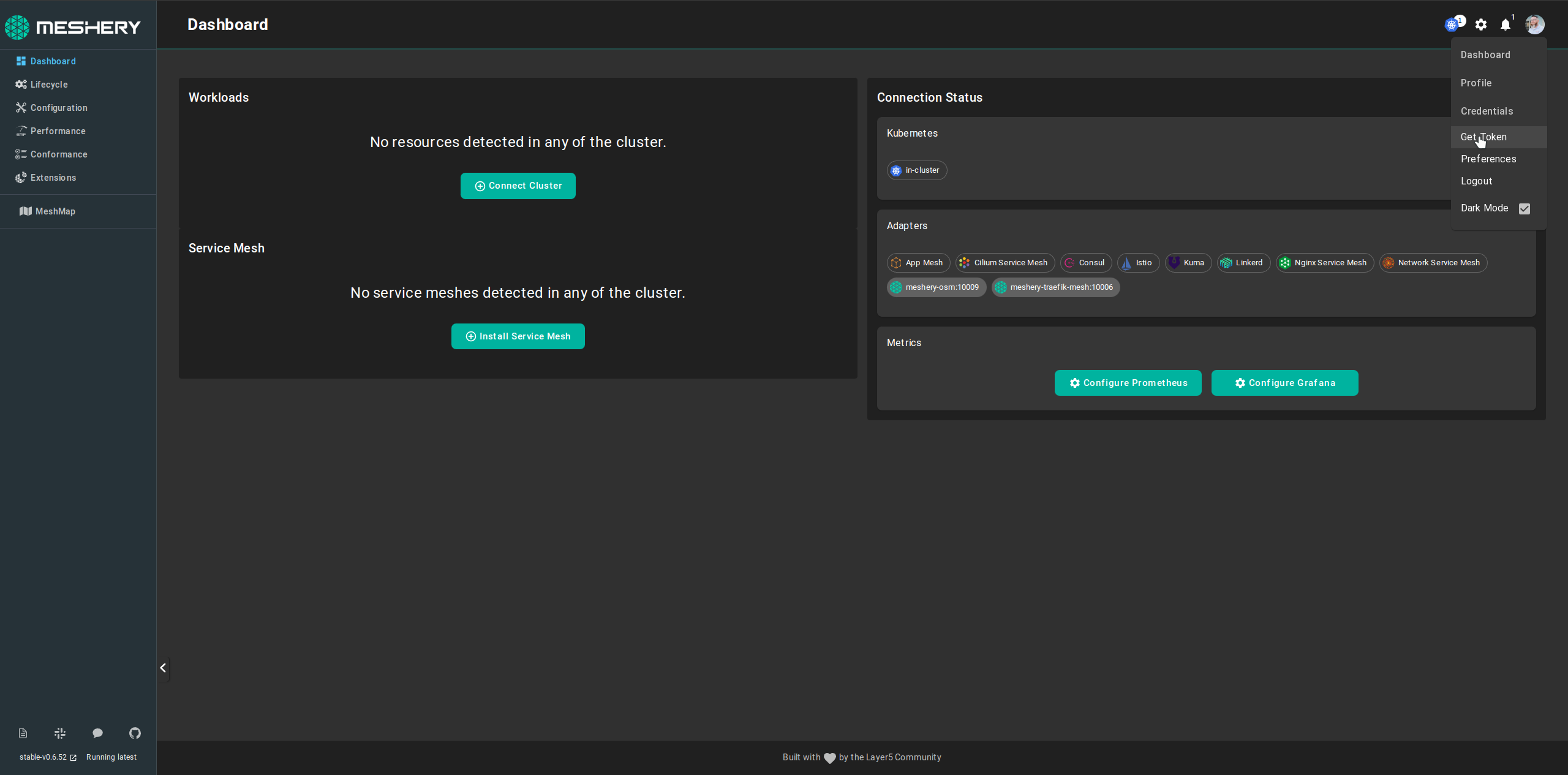
Using Meshery UI, you can get a copy of your authentication token by following these steps:
Log into Meshery by selecting your identity provider of choice (typically found at
http:\{meshery-server}:9081/provider)Navigate to your user’s avatar in the upper righthand corner and select “Get Token” from the dropdown of profile section:
Meshery CLI
Using Meshery CLI, you can get a copy of your authentication token by executing the following command:
mesheryctl system login
In order to use this command, you must have a web browser available on your system (this command cannot be executed on a headless system).
How to access Meshery’s REST API
Example using curl
Using curl, you can access Meshery's REST API by executing this command:
  curl --location 'localhost:9081/api/<endpoint>' \
--header 'meshery-token: <yourToken>\
--header 'Cookie: meshery-provider=Layer5; cloud.layer5.io_ref=/;token=<yourToken>
Endpoints
See the published Meshery OpenAPI bundles in meshery/schemas for the authoritative REST API definitions.
- REST API Reference - Meshery REST API Reference