# REST API

> Meshery REST API documentation

---

LLMS index: [llms.txt](/llms.txt)

---

## Meshery REST API specifications

Meshery's REST API specifications are now maintained and published from the [meshery/schemas](https://github.com/meshery/schemas) repository.

- Published schemas: [schemas.meshery.io](https://schemas.meshery.io/)
- Source repository: [github.com/meshery/schemas](https://github.com/meshery/schemas)
- Contributor guide: [Schema-Driven Development](https://docs.meshery.io/project/contributing/contributing-schemas)

<div class="alert alert-info" role="alert"><div class="h4 alert-heading" role="heading">Registry API paths</div>

Operations on Meshery's capabilities registry (models, components, relationships, categories, registrants, policies, and connection definitions) are canonically served under <code>/api/registry</code>. The legacy <code>/api/meshmodels</code> routes remain available as deprecated aliases of the same operations, and the singular <code>/api/meshmodel/components/register</code> registrant route is retained for backward compatibility, so existing clients keep working.</div>


Each of Meshery's APIs is subject to Meshery's authentication and authorization system. Meshery requires a valid token in order to allow clients to invoke its APIs.

<details>
  <summary>Authentication</summary>
  Requests to any of the API endpoints must be authenticated and include a valid JWT access token in the HTTP headers. The type of authentication is determined by the selected <a href='/reference/extensibility/providers/'>Providers</a>. Use of the Local Provider, "None", puts Meshery into single-user mode and uses minimal, intentionally insecure authentication.

  <div class="alert alert-dark" role="alert"><div class="h4 alert-heading" role="heading">What are authentication tokens?</div>

Meshery authentication tokens allow users or systems to authenticate with Meshery Server via either its two clients, <a href='/reference/mesheryctl/'>Meshery CLI</a> and <a href='/reference/extensibility/api/#how-to-get-your-token'>Meshery dashboard</a>, or its two APIs: <a href='/reference/rest-apis/'>REST</a> or <a href='/reference/graphql-apis/'>GraphQL</a>. <p>Meshery's authentication token system provides secure access to Meshery's management features.</p></div>

</details>

### How to get your token

There are two ways to get your authentication token:

<details>
  <summary>Meshery dashboard</summary>

Using the Meshery dashboard, you can get a copy of your authentication token by following these steps:
<br/>

1. Log into Meshery by selecting your identity provider of choice (typically found at <code style="
       color: inherit;
       padding: 0.2em 0.4em;
       margin: 0;
       font-size: 85%;
       word-break: normal;
       background-color: var(--color-primary-dark);
       border-radius: 0.25rem;
       ">http:\\{meshery-server}:9081/provider</code>)
   <br/>

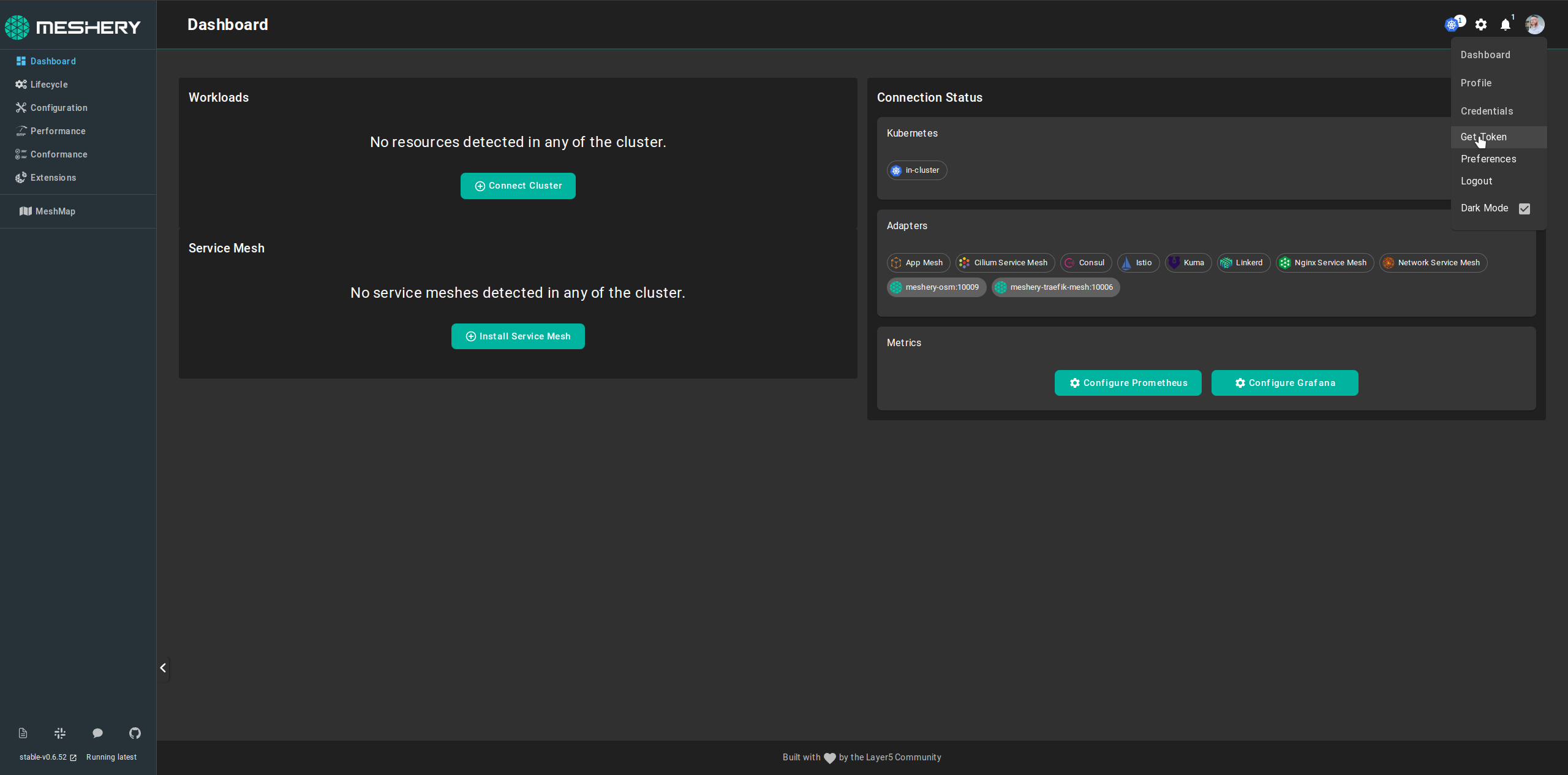
2. Navigate to your user's avatar in the upper righthand corner and select "Get Token" from the dropdown of profile section:
<a href="images/MesheryTokenUI.png"><img class="content-image" alt="Meshery Dashboard" src="images/MesheryTokenUI.png" /></a>
<br/>

</details>

<details>
  <summary>Meshery CLI</summary>
  <br />
Using <a href='/reference/mesheryctl/'>Meshery CLI</a>, you can get a copy of your authentication token by executing the following command:
  <br/>
  <br/>
  <pre class="codeblock-pre">
  <div class="codeblock"><div class="clipboardjs">mesheryctl system login</div></div>
  </pre>
  <br />
  <br />
  In order to use this command, you must have a web browser available on your system (this command cannot be executed on a headless system).

</details>

### How to access Meshery's REST API

<details>
  <summary>Example using curl</summary>
  <br />
Using curl, you can access Meshery's REST API by executing this command:
  <br/>
  <br/>
  <pre class="codeblock-pre">
  <div class="codeblock"><div class="clipboardjs">curl --location 'localhost:9081/api/&lt;endpoint&gt;' \
--header 'token: &lt;your-token&gt;\
--header 'Cookie: provider=Meshery; cloud.meshery.io_ref=/;token=&lt;your-token&gt;
</div>
</div>
  </pre>
  <br />
  <br />

</details>

#### Troubleshooting Authentication

If the request returns an authentication or authorization error (e.g. 401 Unauthorized or 403 Forbidden), verify that a valid Meshery token is included in both the token header and the token= value inside the Cookie header, as shown in the curl example above. See the [Meshery token documentation](/reference/extensibility/api/#how-to-get-your-token) for instructions on obtaining a token.
## Endpoints

See the published Meshery OpenAPI bundles in [meshery/schemas](https://github.com/meshery/schemas) for the authoritative REST API definitions.

---

Section pages:

- [REST API Reference](/reference/rest-apis/endpoints/): Meshery REST API Reference
